 VACUUM VERIFIED
The vacuum maintenance schedule (that keeps any machine like new)
6 min read · updated August 30, 2026 · Vacuum Verified
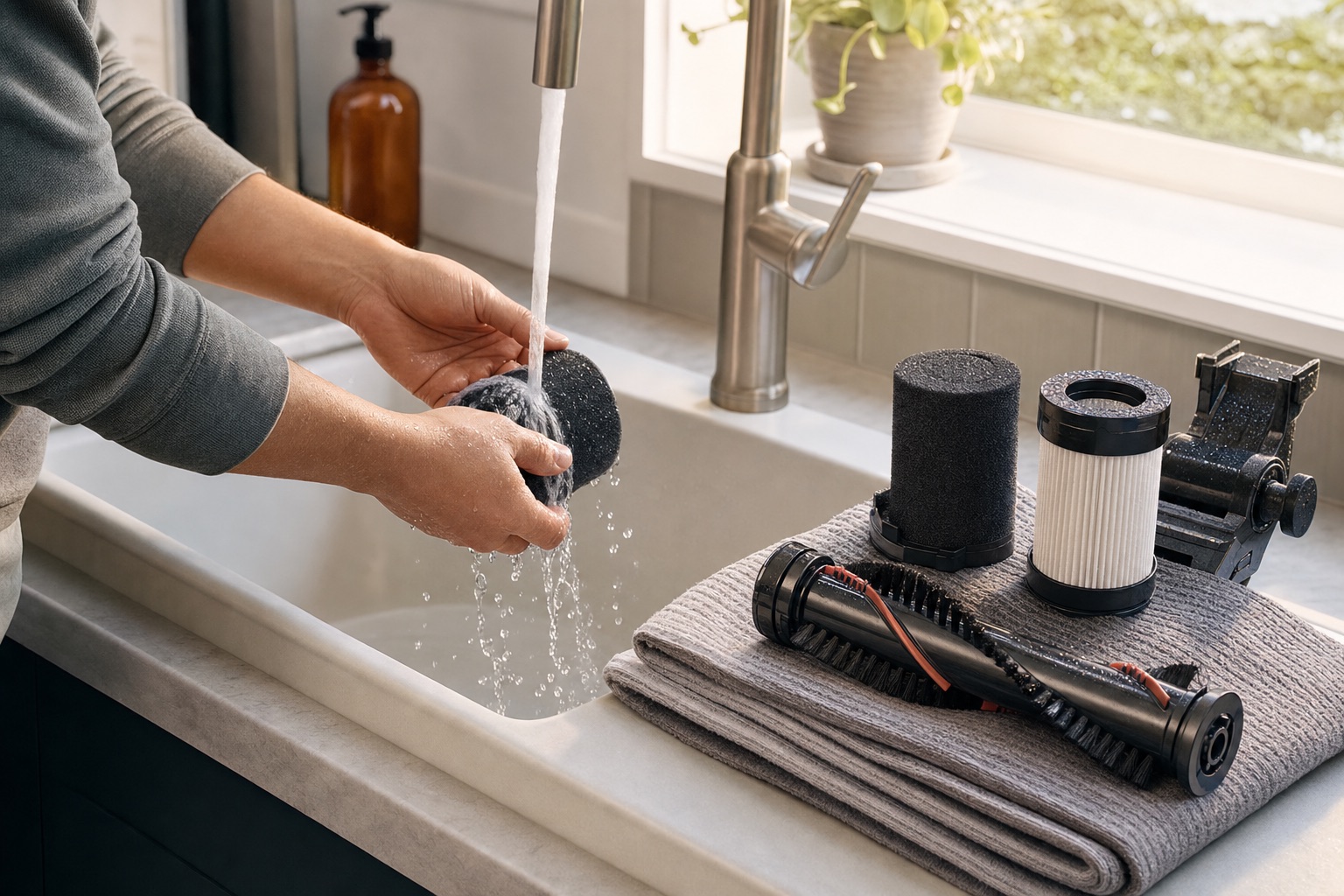
Vacuums rarely die; they fade. Performance decay hides in a half-full bin, a gray filter, a brush roll wearing a hair sweater — all fixable in minutes once you know the schedule. This guide is the maintenance routine for the three machine families we test, ordered by how often it needs you.
- Most “my vacuum lost suction” complaints are a full bin or a loaded filter — both free to fix.
- Weekly: empty by two-thirds, glance at the brush for hair, wipe robot sensors. Monthly: rinse filters (24-hour dry), clear brush ends, wipe charging contacts.
- Yearly: replace HEPA/filters on the manufacturer interval, check belts and side brushes, deep-clean the dock.
- Five minutes of monthly care beats any spec upgrade — performance decay, not age, kills most vacuums.
Every week (2 minutes)
Empty the bin or check the bag by two-thirds full, not visually full — performance drops before the container looks full (bagless cyclones start passing fine dust to the filter; bags strangle airflow near the end). Give the brush roll a 10-second glance for wound hair, especially in shedding homes. If you run a robot: wipe the cliff sensors and the LiDAR turret window with a dry cloth — a smudged sensor causes phantom stairs and missed rooms.
Every month (10 minutes)
Rinse washable filters in plain water and let them air-dry a full 24 hours before reinstalling — never detergent, never heat (the HEPA guide explains why). Clear hair from the brush roll ends before it binds the bearings. On robots: wipe the charging contacts on both machine and dock (a dusty contact is the classic “robot won't dock” cause), clear the side brush, and if your dock is bagless, empty the station over the trash.
For bagged machines, this is the check-the-bag stop: replace when two-thirds full. Keep generic bags on hand only if the manufacturer's fit is confirmed — a poor-sealing generic bag undoes the hygiene you bought the machine for.
Every year (30 minutes)
Replace non-washable HEPA and robot filters on the manufacturer interval (commonly 6-12 months for HEPA, 2-3 months for robot filters in shedding homes — consumable cost is part of our ValueScore math). Inspect the belt on belt-driven uprights and replace if glazed. On robots: replace the side brush and check the main brush for wear; pull the dock's dust bag or canister and wipe the interior; check wheels and the deck for packed debris.
The 80/20: what actually kills machines
In our maintenance audits, three things cause nearly all performance decay: packed filters (wash or replace on schedule), hair-bound brush rolls (the anti-tangle guide explains the designs that avoid this), and full bins run past two-thirds. None of the three is a repair; all are habits. A five-minute monthly routine keeps a mid-range machine outperforming a neglected flagship — which is why maintenance carries a 15% weight in every DustScore we publish.
Frequently asked questions
How often should I replace a HEPA filter?
Typically every 6-12 months of regular use for household machines, sooner with shedding pets or if you notice dust smells or falling suction. Washable HEPA lasts longer with monthly rinses and full 24-hour drying.
Why does my vacuum smell like dust when running?
Usually a loaded filter or a bin past two-thirds — the exhaust is carrying old dust aromatics. Wash or replace the filter first; if the smell persists, check for debris packed in the hose.
How do I clean a robot vacuum's sensors?
A dry microfiber cloth, weekly, on the cliff sensors underneath and the LiDAR turret window. No solvents. Smudged sensors cause false cliffs, missed rooms and failed docking more often than any hardware fault.
Are robot vacuum consumables expensive?
Budget $30-60 a year in filters, brushes and bags for a typical robot — which is why bagless self-empty stations and washable filters factor into our ValueScore. Flagship dock machines with detergent dosing run higher.
Machines this guide points to
Verified picks from our database mentioned in this guide — every price loads live from merchant listings.